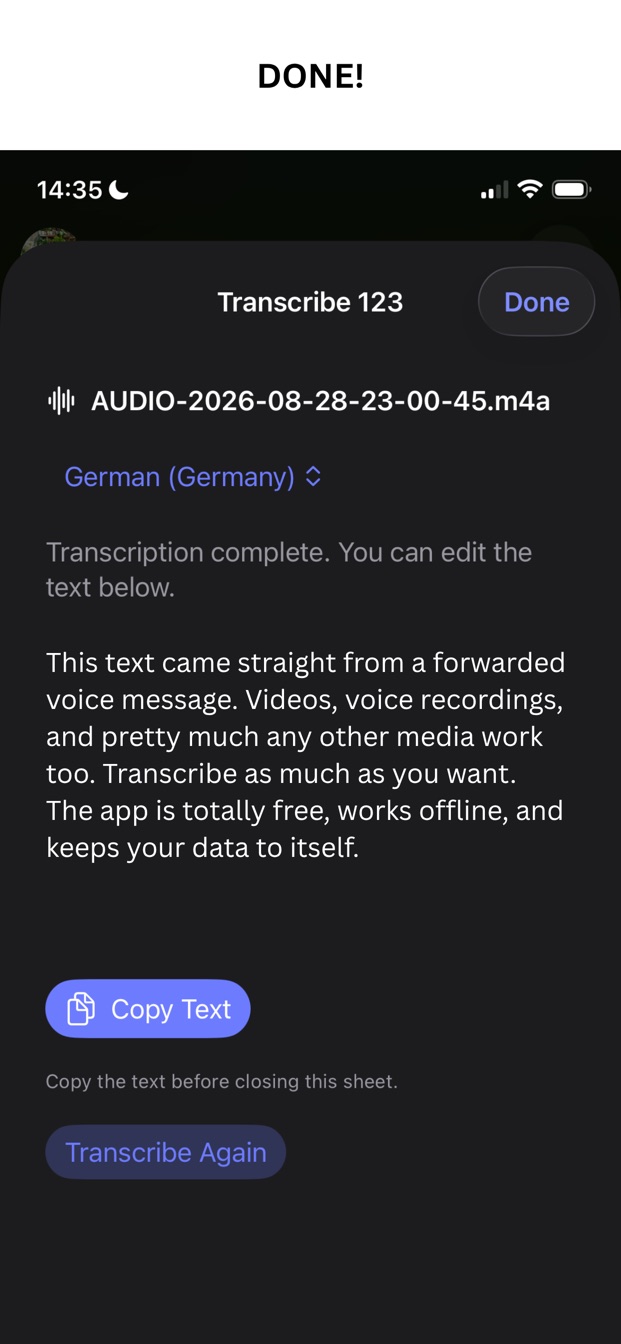
Can I transcribe a WhatsApp voice message on my iPhone?
Yes. In WhatsApp, forward or share the voice message and choose Transcribe 123 in the share sheet. The text appears in a few seconds, and you can copy it without opening the app. Telegram voice messages work the same way.
Is my recording uploaded anywhere?
No. Transcription runs on your iPhone or iPad with Apple’s on-device speech models. The app has no server, no account, and no analytics, and it never sends the audio or the text anywhere.
Does it work offline?
Yes, once the speech model for a language is on your device. The first time you transcribe in a language, iOS may download Apple’s model for it. After that, transcription in that language works without a connection.
Is it really free?
Yes. Transcribe 123 is 100% free. There are no ads, no in-app purchases, no subscription, and no account, and there is no limit on how much you transcribe.
Which files can it transcribe?
Voice messages from WhatsApp and Telegram, including Ogg/Opus files, voice memos, and audio such as M4A, WAV, MP3, AIFF, and CAF. It also transcribes the soundtrack of MP4 and MOV videos from Files or Photos.
Which languages can it transcribe?
You choose the recording’s language in the app. The list contains the languages Apple’s on-device speech models support on your device. The app itself is in English, German, and Russian.
Can it record and transcribe a call or a meeting?
No. Transcribe 123 does not use the microphone. It transcribes recordings you already have, such as a voice message, a voice memo, or a video.